
Patch 1.0.4 · 25 October 2026
J.O.O.N.A.S. and save protection
The robot now keeps cleaning without nearby players, sends capsules to the nearest catcher, and the game keeps automatic save backups.
Patch 1.0.4 Independent field guide · Checked 27 October 2026
Start with a tiny brush. Build a useful crew. Turn lunar dust into a cleanup operation that can keep growing. This guide begins with the decisions players face first and tracks official changes as the game evolves.
Unofficial guide. Moon Sweepers is sold and installed through Steam; this site does not host the game.

Choose your next step
Use the route that matches the problem in front of you. The first shift guide is the best starting point if you have not played yet.
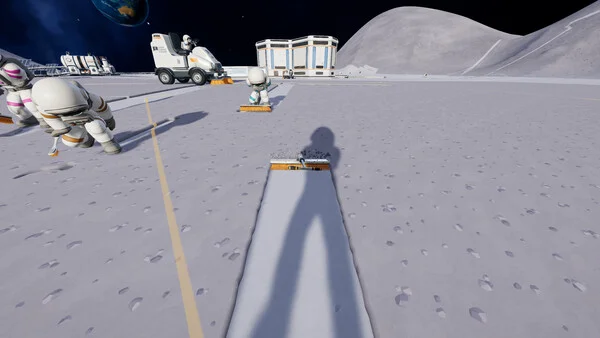
Sweep, carry dust, deliver it to a depot, launch a shipment, then reinvest the payout.
Open the beginner guide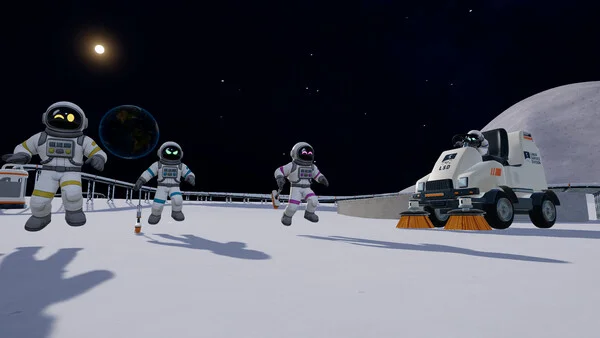
The game supports solo play or online crews of up to 16. Check the shared-upgrade change before planning purchases.
See co-op basics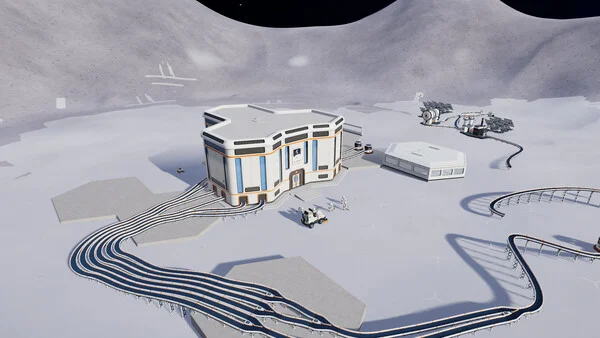
Patch 1.0.4 changed J.O.O.N.A.S., map tools, save backups and several multiplayer problems.
Read the current notesBrowse the guide
These short sections cover the topics players usually need after the first shipment. Each opens the relevant part of our current guide.
Choose the next purchase by the part of your cleanup run that slows you down.
Read the sectionFollow dust from collection to a depot shipment before scaling up.
Read the sectionConnect a Packager to a conveyor and check that the depot pays for a test load.
Read the sectionSee where conveyors, catchers and J.O.O.N.A.S. fit into the loop.
Read the sectionPrepare a delivery route for J.O.O.N.A.S. and check its bin, catcher and cleaning progress.
Read the sectionCheck community mod listings, version claims and backup steps before changing your game.
Read the sectionUnderstand when mobile cleaning helps and what changed for garages.
Read the sectionUse the current map features to plan routes and find your machines.
Read the sectionTurn the opening tasks into a short, verifiable progress checklist.
Read the sectionPrepare a multiplayer session and check the host's upgrade matrix.
Read the sectionTrace stopped machines, join problems and save backups.
Read the sectionThe main system
Steam describes a simple economy: clean the ground, move the dust, get paid, then buy equipment that reduces the next trip.
Clear lunar dust with your starting tool.
Fill your storage and carry the dust.
Deliver to a depot and launch the shipment for payment.
Spend earnings on tools, capacity, depots and later vehicles.

The beginner guide combines the official game loop with reported controls and prices. Check the current game build before relying on untested figures.
Begin with a short route near the station and watch what happens to a single load. If the dust gauge fills before you finish cleaning, compare the brush and capacity options. If the walk takes longer than the sweeping, see how a Packager and conveyor route can shorten the return trip.
Once deliveries are working, expand one step at a time. A vehicle and unloading route can help with wider ground, while an automatic collection line needs a working connection from its collector to the intake. Test a small load first and check your balance before adding branches or processing machines.
For a shared session, agree on the next purchase and check the co-op version and upgrade rules. If a capsule stops or a friend cannot join, use the troubleshooting checklist to identify the first point of failure. The map and exploration section can help the crew choose its next work area and plan the trip back.
Version-aware advice
The game changed quickly in its first days. Check the version before following a guide written for the launch build.
Patch 1.0.4 · 25 October 2026
The robot now keeps cleaning without nearby players, sends capsules to the nearest catcher, and the game keeps automatic save backups.
Patch 1.0.3 · 24 October 2026
The crew uses the host's upgrade matrix, and a purchase upgrades everyone. This supersedes launch-day advice about individual upgrades.
Plan one crew-wide upgrade path; the host's matrix applies to everyone from 1.0.3 onward.
Recheck guides written before 1.0.4. The robot now works away from players and sends capsules toward a catcher. Follow the Joonas setup and troubleshooting steps.
A save created in 1.0.4 cannot be opened in an older version. Preserve your save before changing builds.
Solo or with a crew
Moon Sweepers supports single-player and online crews of up to 16. Patch 1.0.3 made upgrade-matrix purchases crew-wide. If friends cannot join, start by checking that everyone is on the same game version.
Read the co-op basicsBefore you buy
The Steam listing is the source of truth for supported platforms and current requirements.
Minimum listed: Windows 10, Intel i5-8400 or Ryzen 5 2600, 8 GB RAM, GTX 1650 or RX 570, DirectX 11 and 2 GB storage.
Recommended listed: Windows 11, Intel i5-10400 or Ryzen 5 3600, 16 GB RAM, GTX 1660 Super or RX 5600 XT, DirectX 12 and 4 GB storage.
Steam lists Windows and online co-op; check its current listing for pricing, controller support and platform availability. The 1.0.4 Proton startup fix is not a Steam Deck Verified rating. If your system meets the requirements but the game fails to start, use the startup and save troubleshooting steps and check the latest developer announcements.
Platform availability
Checked 27 October 2026. We confirmed the Windows Steam release but found no official Nintendo Switch or Switch 2 release announcement.
A Steam key does not unlock a Nintendo copy. Check the platform named on the product before paying, and use the official Steam listing and developer announcements for changes.
Buying and activation
A Steam key is a product activation code. It is different from an in-game keyboard binding, a Steam Wallet code or an account offered for sale.
If activation fails, record the exact error and check the product and region on your order. An invalid or already-used key needs follow-up with the seller; do not post the full code publicly. A successful activation followed by a launch error is a different problem: use the startup troubleshooting checklist.
Check Moon Sweepers on Steam ↗ · Official Steam key activation instructions ↗
Quick answers
The official release is sold through Steam for Windows PC. Use the developer's Steam store page for the current price and availability.
As of 27 October 2026, we have confirmed the Windows Steam release but have not found an official Nintendo Switch or Switch 2 release announcement. Steam Deck information does not establish Nintendo Switch availability.
If you have a valid key for the game and your region, sign in to the intended Steam account, open Games, choose Activate a Product on Steam and follow the prompts. A direct Steam purchase or an accepted Steam gift does not require a separate retail key.
Yes. Steam lists single-player as well as online co-op for up to 16 players.
Since patch 1.0.3, the crew uses the host's upgrade matrix and purchases upgrade everyone. Check that every player has the same current game version.
The official store listing checked on 27 October 2026 is for Windows PC. Do not treat unrelated APK or console download pages as official releases.
Yes. Steam lists achievements, including early milestones for cleaning a patch, making a depot deposit, upgrading a brush and launching a full container.
The Steam listing identifies full controller support for Xbox and PlayStation controllers. Check the current store listing for the latest compatibility details.
Steam currently lists Deck compatibility as unknown. Patch 1.0.4 fixed startup issues with older Proton versions, but that fix is not a Steam Deck compatibility rating.
No. The developer says saves made in 1.0.4 cannot be opened in older builds. Keep a separate backup before changing versions.